
Steps To Verify Your Facebook Profile/Page
Steps to Verify Your Facebook Profile/Page
Facebook is an incredible social media platform. Since its release in 2004 to college campuses, and 2006 to everyone in the world, it has really taken off. Most people use Facebook to keep in touch with friends and family.
Facebook has, like other social media, had its ups and downs. There have been features released that weren’t loved by the people who use it and people who have had their accounts hacked.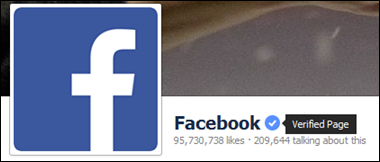
Unfortunately, this has been happening more and more frequently as the years go on. Some of it has to do with the users not really checking their security and keeping it up to date. Facebook has been good about releasing security updates, though some of them aren’t as helpful as others.
Recently, Facebook launched a feature to confirm the verification process of profile or pages, being a FB user we must have to create our profile page and in some cases, individuals prefer to create multiple FB profile pages using single name even.
You may also come across a number of profile pages of a public figure, celebrity or business, using similar names on Facebook. That’s why FB come up with solutions to clear the concerned discrepancies of same name FB accounts to identify the verified profile page, leaving rest of the same name FB accounts with unofficial page status.
It’s very common for people to create these pages in order to spam people with incorrect information. It’s also common that they are doing it in order to get people’s money.
Facebook’s verification process is available to try and stop these things from happening, as now everyone will know who’s legitimate and who isn’t.
Before this update was released, you wouldn’t know if the page was legitimate or not. All you would know is that the page seems to be for the person you want it to be for. If it turned out it wasn’t, then that would suck for you.
This update should help alleviate any stress that might happen because of the verification process. You’ll know for sure if the page was real or an imposter.
So, here are some steps to verify your Facebook Profile/Page to be the official authority of your online presence.
The verification process confirms the status of the page once and for all; no one can mislead you for the same name unofficial page again. However, Facebook’s criteria of verification are based on popularity of the pages indi
cated by the daily visits, a tricky issue indeed as it depends on luck to a certain extent that original profile page might lay behind against an unofficial page using similar name.
Unless the celebrity is really famous one, or brand, celebrity, or famous personality gives some regular time on the page to interact with its followers.
Now it’s hard for fake pages to get verified status as its mandatory for the pages to get authorization from the brand, celebrity or public figure prior to use their names. There are two ways of authentication or verification in our today’s write-up of steps to verify your Facebook Profile/Page.
There is also the possibility of getting your local business or company/organization verified. You don’t need to be super well-known, you just need to have a business or company with a phone.
We will describe all of these methods in detail in the lines below to clear the concept so this helps you can easily recognize the original profile page of any individual or brand.
What is Verified Profile Page?
When Facebook allows a verified status to any profile or page, a blue tick badge appears next to the name of the page or profile like this one:
Facebook Permits only four types of Pages as a Verified Profile Page:
-
The pages belongs to celebrities
-
Pages belongs to Journalists
-
Government Officials pages
-
Famous Brand pages
There is also the possibility to get a verified business or company/organization page. Instead of a blue tick badge, it is a gray badge.
This badge doesn’t mean that the page is in the process of being verified, like some people may think. It is simply a different subject matter that is getting verified. This helps people distinguish between different pages.
If someone is trying to look for a business that sells clothes, they can ignore any pages that pop up with a blue tick badge. They might be people related to clothing, like designers, but they aren’t a specific business.
If someone is looking for a famous actor, they only need to look at the blue tick badges to make sure they are a legitimate person and not someone pretending to be that person. It can save people a lot of hassle and time, as they don’t have to go to every page to make sure it’s the real one.
Above mentioned categories are included in Facebook’s verified page status, the criteria once again are based on the popularity of the page determined by daily/weekly traffic on the page.
This does seem slightly unfair, as celebrities of a lower status might not get the traffic that they need. Thankfully, it is possible to do a manual verification, which will likely help you in verifying your page.
FB allows the officially verified status to all those pages provided the page can display an official authorization letter from the celebrity or brand, it’s called an automatic verification process.
The Automatic Verified Page
Therefore, if you claim to be an official representative of the page and it also falls in any one of above mentioned categories, then it’s likely to get an automatic verified page status from FB’s end. You need to tweak a bit on your profile to get this status automatically:
-
The page must officially be corresponded to your local Brand, or any celebrity with certain following on Facebook.
Tips to Keep in Mind
This method described in our steps to verify your Facebook Profile/Page, you need to fill up certain details regarding your profile or page. If you feed your comprehensive and updated details than usually Facebook automatically track you to likely place in a verified category. However, here are some major tips to keep in mind:
-
Always link your page or profile to official Website.
-
Fill the “About Page” of your Business with most updated details, with a comprehensive introduction of your business. While filling the details consider the following aspects for clarity.
-
The “Key Word” that describes your business, e-mail address of the business, website name and address, artifacts and confirmed page site, along with other necessary information’s.
In the lines above we mentioned a basic criterion of getting a verified profile/page status on Facebook. We have already described that it’s not the details, it’s the potential page visits that determine the verified status mostly.
So, for submission process of any page or profile for verified status, you should wait around 40 to 50 days to get the expected confirmation from Facebook’s end.
Manual Verification
It’s the 2nd method from the steps to verify your Facebook Profile/Page guideline which helps you to acquire a verified status of your Facebook page or profile through manual procedure.
As we discussed earlier that Facebook recently updated its verification feature, now you can apply for verification badge for a proposed page or profile manually as well.
They have created a request form to slash all fake FB accounts to save visitors from any potential cheating. Well, here is the manual steps to verify your Facebook Profile/Page:
-
You need to apply for verification on the prescribed form by visiting the Facebook verification form page and opening it. Open the form from suggested page or profile account you ask for verification, either it’s your own pag
e or profile, or if you represent a celebrity. -
If you represent any celebrity than with selecting the proposed page and ID proof, submit the authorization letter from the celebrity with the proposed form to Facebook.
-
Currently FB permit celebrities and public figures to involve the verification process manually, businesses and websites are declined to request manually.
-
Facebook will send a verification email within 48 hrs of receiving your request for verification on prescribed form.
-
If still something lacks, please visit this link for further guidance, Submit Facebook Page Request For Verification.
The manual verification might seem more difficult, but it can be easier to some degree. But, if you do the manual verification as a smaller celebrity, you can get verified. It does mean a few more hoops to jump through, but being able to get verified can help get your name out there.
As a celebrity, it might get you noticed by more people and may even get you more work in the future. This can also be said for a journalist. If you can get your journalism page verified, it gets you the potential of getting more work in the future.
For government officials, having a verified page could mean that your ideals and things you plan on doing in the future can reach more people. So many people are completely enthralled by their electronic devices that it only makes sense if you can reach people that way.
Verify Local Business or Company/Organization
You don’t need to be extremely well known to get your FB page verified. With this kind of verification, you would get a gray badge instead of a blue one. This actually helps with getting businesses out there and getting more customers.
This is also helpful with making sure people aren’t getting duped into a business that isn’t real. If someone sees your business and you aren’t verified, they might move on, not wanting to be scammed. If you have the verification, you’re likely to get more traffic on your page.
It’s pretty simple to get your page up and running and only takes a few steps. As long as you’re an admin on the page, you’ll be able to do it quickly.
- Go to the settings on the page, which are at the top of the page.
- From the General settings, find Page Verification and click on it.
- First, click on Verify this Page and then click on Get Started.
- Make sure you have a public phone number for your business. Type the phone number in, put the country the business is located in, and finally put your language.
- It’s best to do this when you know you’ll be near your business’ phone, as Facebook will call you with a verification code.
- All you have to do is enter the 4-digit code onto the appropriate spot and you’re all set!
If your business doesn’t have a phone number yet or you would just prefer to verify it using documents instead, you don’t have to worry. You can easily do that instead.
You follow the steps above up until step number three. At the bottom of the page, it should say Verify this page with documents instead. Once you click on that, it’s pretty simple.
- Have an official document that has your business’ name and address printed on it. Upload that onto the page that comes up.
With both of these methods, it will take a few days for Facebook to verify it and put the badge on your page. They need to confirm that your business is legitimate and then they will send you a notification or an email confirming that the verification process is complete.
We believe our guide for the steps to verify your Facebook Profile/Page will be helpful for you to get the verified status for your own page or a page of someone you’re representing, automatically or through manual procedure.
These methods will really help people know exactly what they are liking or looking at. It can help stop people from imitating famous people and help stop people from scamming others through fake businesses.
This update adds a lot to Facebook and will really change how people perceive pages and profiles. They won’t have to worry so much and can just like the page they want to like.
We appreciate your comments in this regard; your comments help us to improve our tips & tricks for your and other user’s convenience by and large.
About The Author


Can you give me the direct link of facebook verification page, i am talking about 2nd method???
Nice.. Amazing Trick
Can you give verification link please?
Hi Hira,
For more information follow this link
https://www.facebook.com/help/196050490547892
Here it is UPDATED* 🙂
https://apps.facebook.com/blueverifyform/
I want your help regarding page verification form
I want my facebook acount is verify?
Hi. My friends id with name ‘XwEet sHani’ Phone no’03038756357′ has been Blocked due to varification problem , He has submited all his identies related to his id there is coming one message that is We’ll take a look at the documents you submitted and get back to you. If we need more help with confirming your name, we’ll contact you for additional documentation.”. 5months has Passed his fb id is not logging in . Please Help me to varify my dear friends id
I do not know regarding my page verification .. how i do it?
i didn’t get this my account did not verified idont know why there i an some issue in it. anyone tell me about it?
Dear All,
i have problem that my account don’t have any verification option how i on that